API Workflows
Design API workflows on a visual canvas — HTTP calls, conditions, loops, parallel branches, validation, transformation, and scripts — then run them and inspect every request and response.
Most API work does not fit into a single request. A login returns a token that the next call needs; a list has to be paged through; a response has to be checked before the next step runs. Lumen Flow is a native macOS environment for designing, running, debugging, and versioning API workflows — integrated with the Mac.
A Flow is that sequence, drawn on a canvas instead of scattered across a folder of unrelated requests.
The steps you can put on the canvas
Every Flow is built from typed nodes, each doing one job:
- HTTP call · method, URL, headers, and body, with the credential to use inherited from the Space or set per step.
- Condition · split the Flow into a true and a false branch.
- Loop · repeat a group of steps.
- Parallel · run independent branches at the same time instead of one after another.
- Set variable · capture a value and make it available to later steps.
- Validator · assert what the response must look like, and mark the step failed when it does not.
- Transformer · reshape a payload with a script before passing it on.
- Action script · a reusable pre- or post-request script, kept in one place and shared across steps.
- Execute flow · call another Flow as a subroutine.
Values move between steps through variables: a result from an earlier step, a variable from the active Profile, a field from a credential, or a value produced by an Action.
Run it, then look at what actually happened
Running a Flow opens the Inspector. It is not a log dump — it is the execution, step by step:
- which steps ran, and whether each one succeeded, failed, or was skipped;
- the full request and the full response side by side for every call — status, headers, body;
- which validations passed and which did not;
- the state of your variables at the end of the run.
For a condition, you see which branch was taken. For a loop, how many iterations ran. When an endpoint does not exist yet, a call step can return a simulated response so you can build and test the rest of the Flow around it.
Start from what you already have
You rarely start from nothing:
- Paste a cURL command · it is parsed straight into a call step, with method, URL, headers, and body filled in. No AI involved, no cleanup afterwards.
- Import a collection · Postman, OpenAPI, Insomnia, and Bruno files are recognized by their content, so you do not have to tell the app which format you are handing it. Before anything is created, you get a summary of what was found and can deselect individual flows, credentials, or profiles.
Secrets that come in with an imported collection are stored in the macOS Keychain, not in plain text.
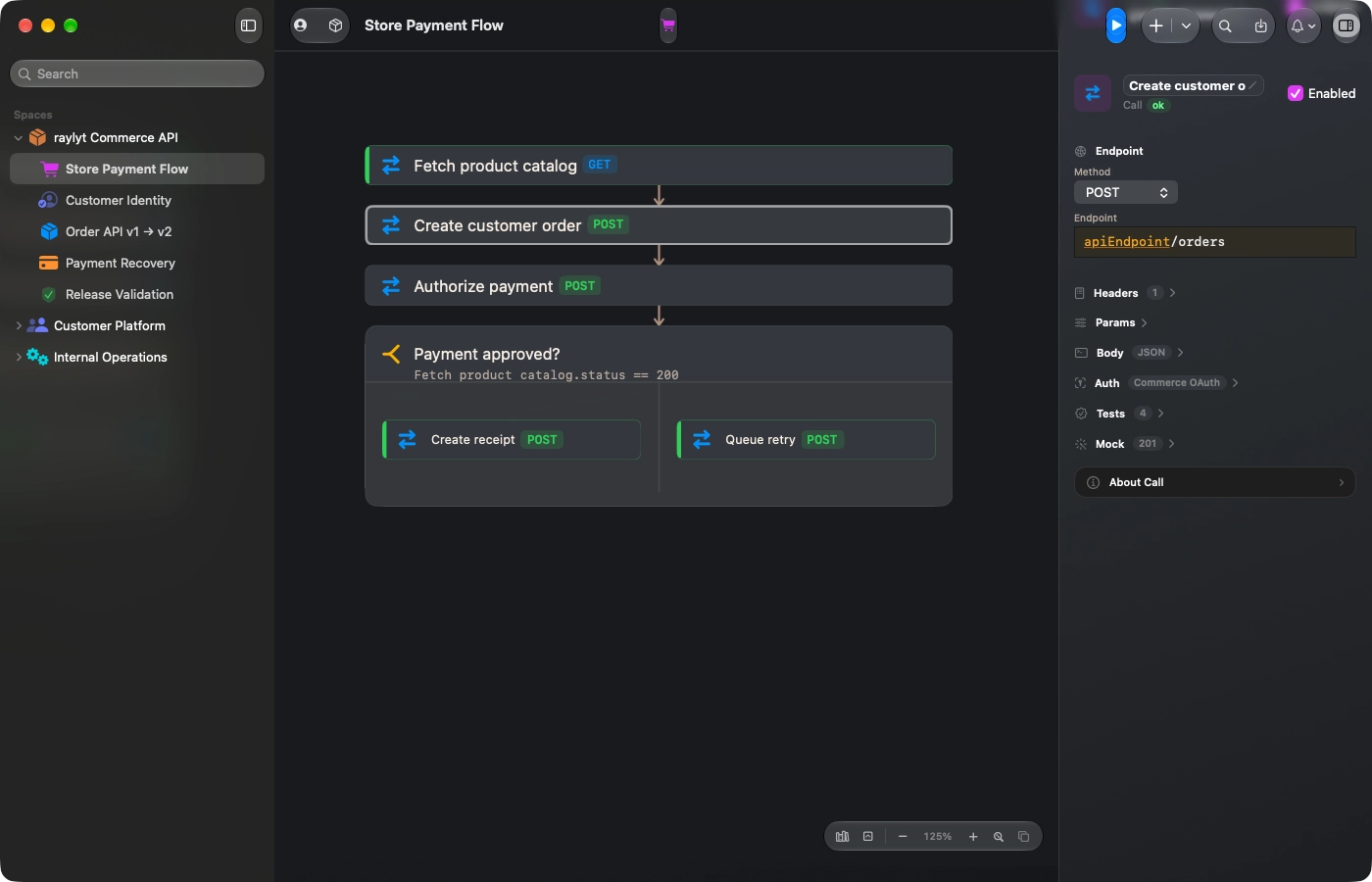
Flow Canvas · A payment flow on the canvas, with the call editor open on endpoint, headers, auth, and validations.
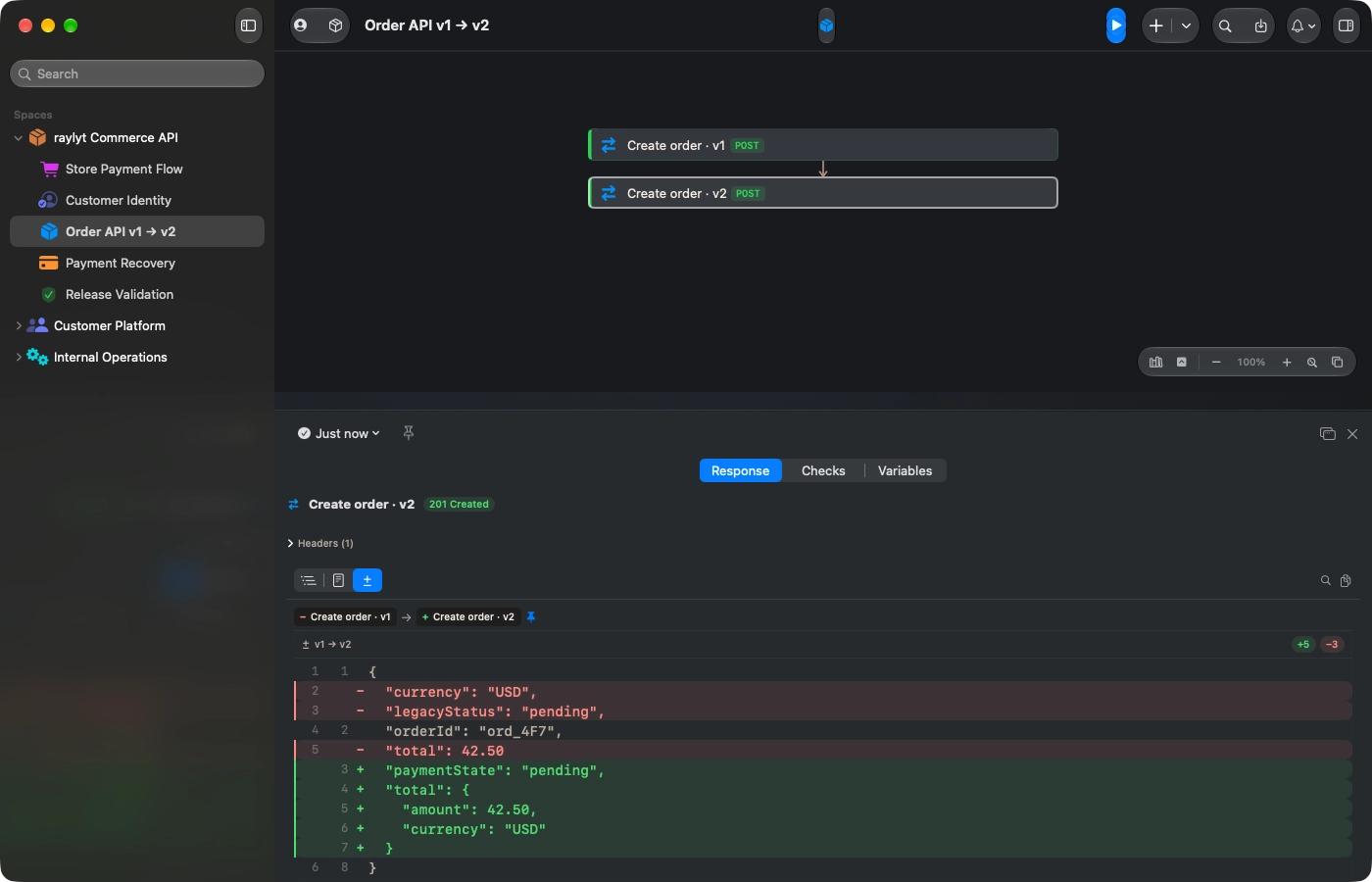
Execution Inspector · Two executed calls compared in the docked response panel, with the changed JSON fields highlighted.

Ready to elevate your API workflow?
Sign up for early access and get notified as soon as it's available for macOS.
Join the waitlistmacOS 26 or higher · Native Apple Silicon