Local-first
Lumen Flow runs on your Mac and keeps your Spaces, Flows, and execution history there. There is no raylyt server, and credentials are stored in the macOS Keychain.
An API client sees your staging tokens, your internal hostnames, and the shape of every payload you send. That is a good reason to know exactly where it puts them.
Lumen Flow is a native macOS environment for designing, running, debugging, and versioning API workflows — integrated with the Mac. It runs on your machine and keeps your work there.
There is no Lumen server
Your Spaces, Flows, profiles, and execution history are stored locally on your Mac. There is no raylyt backend holding a copy, no workspace to sign into, and no account required to use the app.
The practical consequence: the network is used by the services you call. When you run a Flow, requests go to the endpoints in that Flow and nowhere else.
The one deliberate exception is iCloud Sync, an optional setting that is off by default. Turning it on stores your data in your own private iCloud database so it can follow you between your Macs — Apple’s infrastructure, your account, still not a raylyt server. Leave it off and everything stays on the machine it was created on.
Credentials live in the Keychain
Secrets — passwords, client secrets, tokens, API keys — are stored in the macOS Keychain rather than in the app’s own database, and they are not shown in plain text in the interface. Credentials cover the schemes you are likely to be handed: Bearer, Basic, API key, OAuth2 in its client credentials, password, and authorization code grants, and OpenID Connect with discovery from the issuer URL.
When you import a collection from another tool, the secrets inside it are moved into the Keychain during import instead of being copied into the database as plain text.
History you can actually consult
Every run is recorded locally: what was sent, what came back, which validations passed, and how long each step took. Because that history is on disk rather than in someone else’s log pipeline, you can look at last week’s failed run without asking anyone for access — and you decide how long it is kept, in Preferences.
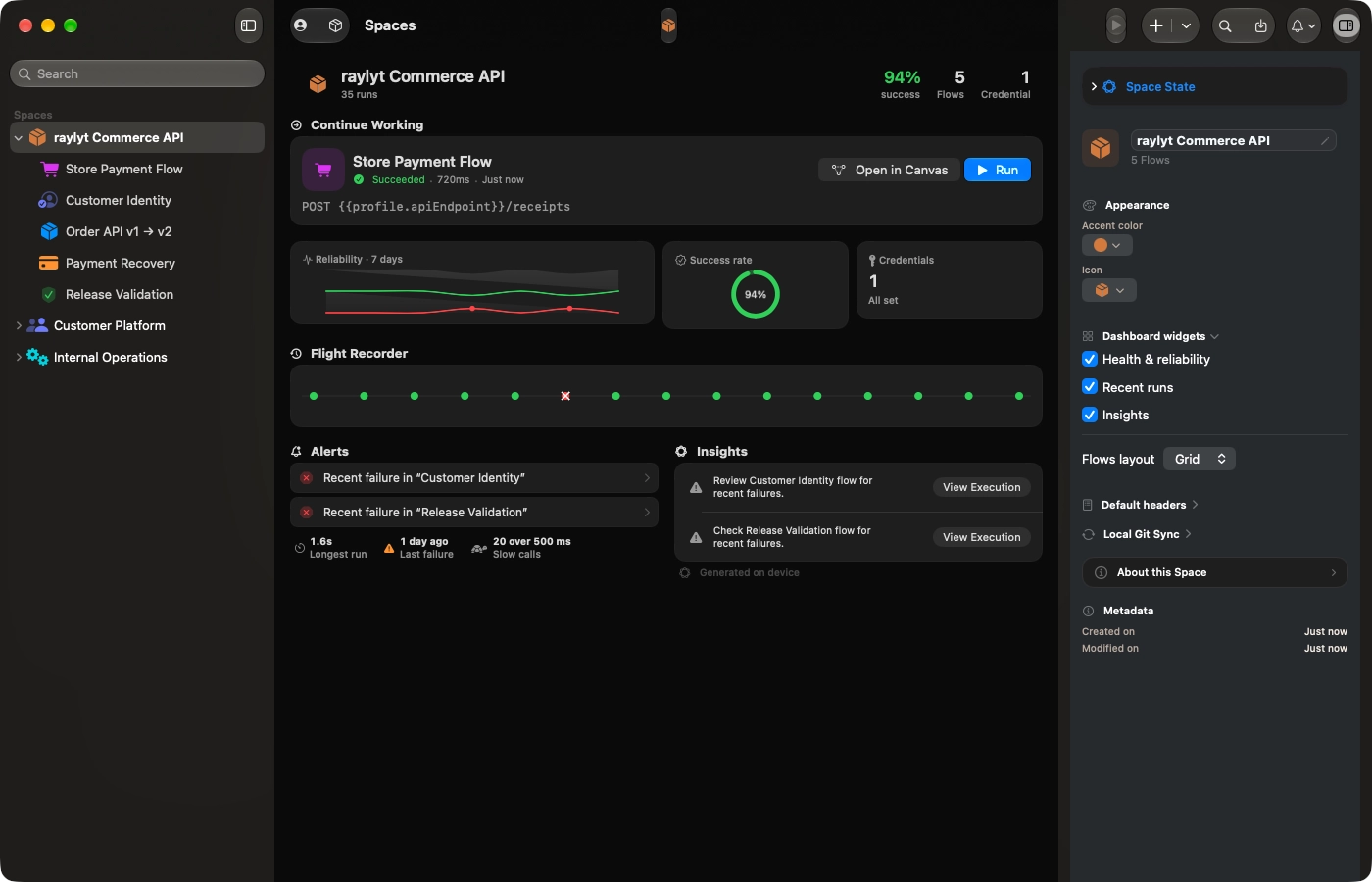
Space dashboard · Recent runs with duration, status, and result · a history that lives on the Mac, not in someone else's log pipeline.

Ready to elevate your API workflow?
Sign up for early access and get notified as soon as it's available for macOS.
Join the waitlistmacOS 26 or higher · Native Apple Silicon